Low resolution and pixelated artwork
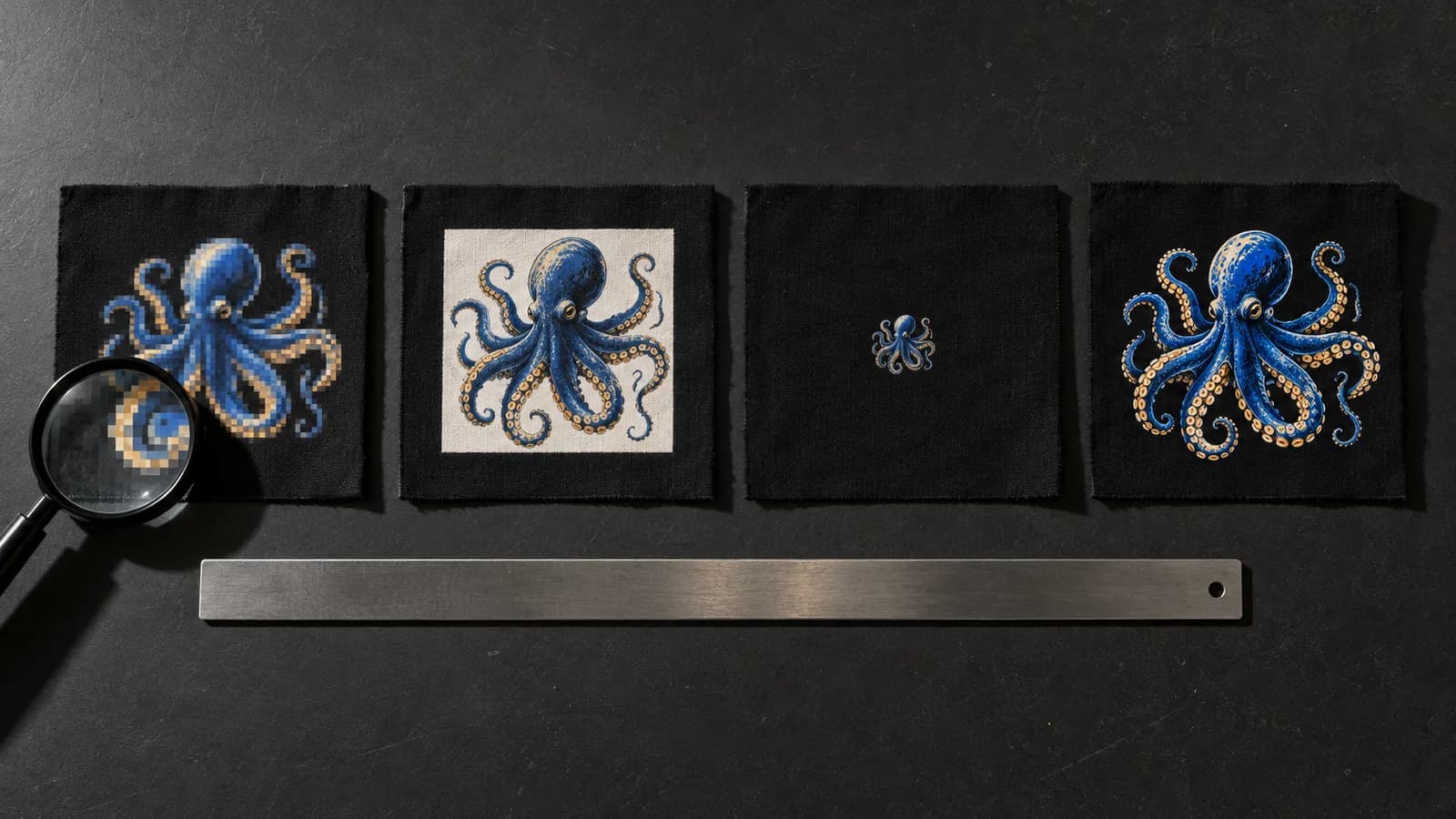
The number one mistake is sending a low-resolution file. An image pulled from social media or scaled up from a tiny logo reaches the film pixelated, and DTF printing faithfully reproduces those pixels: it never invents detail that isn't there.
Work at 300 dpi at the actual print size. If your logo is 25 cm wide, the PNG must have enough pixels at that size, not a thumbnail stretched to 400%.
- 300 dpi at final size, not upscaled
- Avoid screenshots and compressed JPG files
- Jagged edges mean missing resolution
Wrong size in cm (the classic one)
The second classic is confusing pixel size with physical size in centimeters. A design can look huge on screen and come out 4 cm on the transfer, or the opposite, overflowing the 60 cm usable width.
Always set the measurements in cm before buying. Remember our usable width is 60 cm: a wider design must be split or rotated, never force-cropped.
- State the size in cm, not just in pixels
- Maximum usable width: 60 cm
- Check the scale against a real object
Backgrounds that look transparent but aren't
Many files arrive with a white or colored background the customer thinks is transparent. In DTF, that background prints: a white box will appear around the design on the garment.
Real transparency only exists in formats that support it, such as PNG with an alpha channel. A JPG is never transparent, even if it looks clean in your viewer.
- Use PNG with a transparent background, not JPG
- The gray checkerboard means transparency
- Check the edges: no color halo should remain
Text and lines that are too thin
Very thin lines and typefaces are fragile in DTF. Below a certain thickness, the stroke doesn't bond well to the adhesive and may lift or disappear after several washes.
Thicken thin strokes and avoid tiny text with interior detail. A minimum outline of around 1 mm ensures every letter survives application and use.
- Minimum line thickness ~1 mm
- Avoid hairline fonts at small sizes
- Reinforce serifs and delicate details
Expecting screen printing and getting DTF
Another mistake is expecting screen-printing results. DTF is a different technique: it prints in CMYK on PET film and allows full color and gradients with no screens or spot-ink minimums.
This means a very saturated RGB or an exact Pantone are approximated when converting to CMYK, not reproduced 100%. For critical brand colors, always request a sample before running production.
- DTF is full-color CMYK, not spot ink
- RGB and Pantone are approximated, not cloned
- Request a sample for brand colors
- Recommended resolution
- 300 dpi at actual size
- Ideal format
- PNG with alpha channel
- Usable width
- 60 cm
- Minimum line thickness
- ~1 mm
- Color space
- CMYK (no exact Pantone)
- DTF price
- €7/m ex VAT